

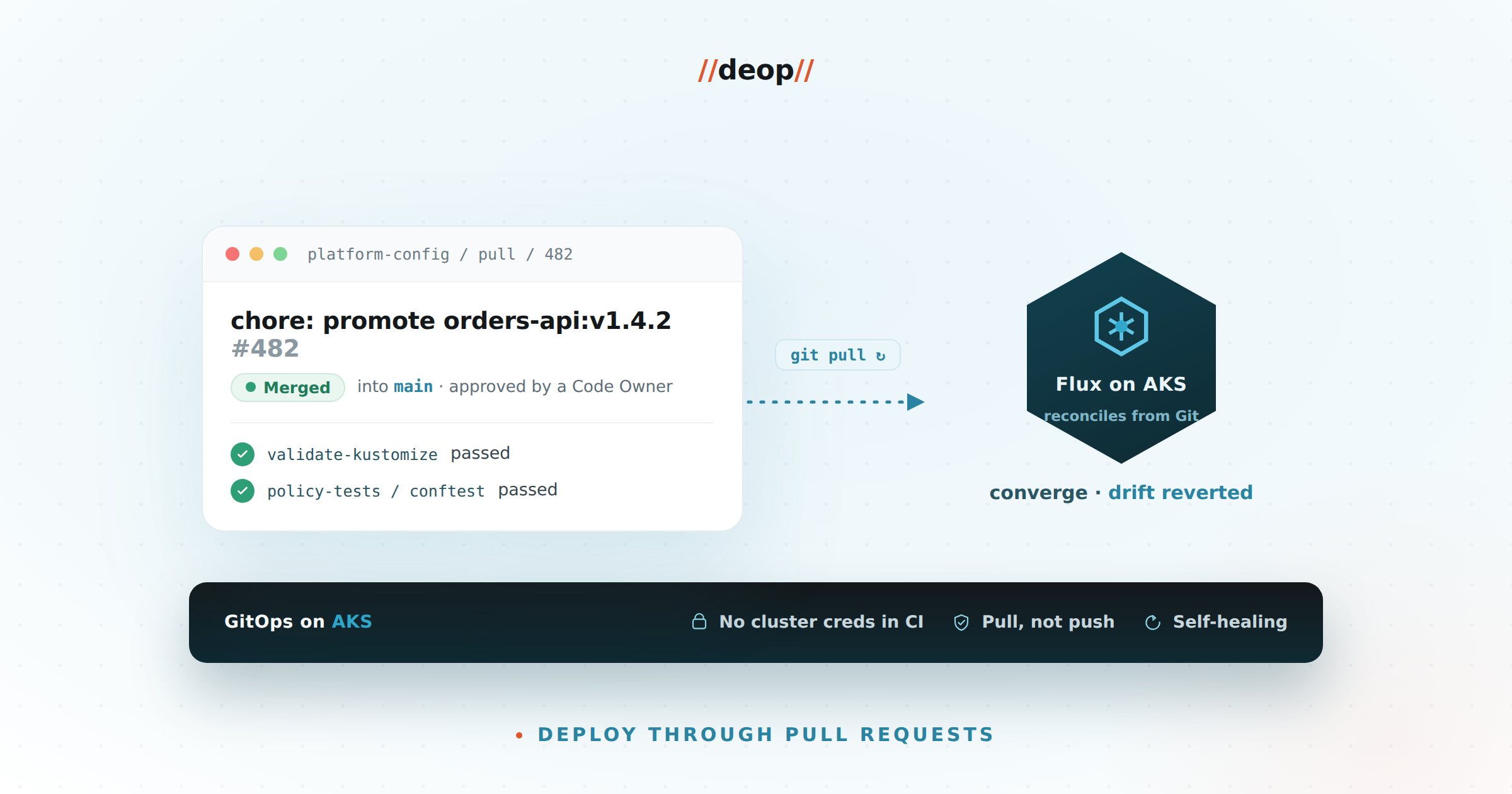
Every team we meet that runs Kubernetes has the same two artifacts: a cluster that mostly works, and a deployment process nobody fully trusts. Someone has kubectl access from their laptop. A pipeline applies manifests, but only for two of the five namespaces. Staging drifted from production three months ago and nobody noticed until an incident made it obvious.
GitOps is the pattern that fixes this — and on AKS, with the GitHub estate most of our clients already have, it’s less new tooling than it is a decision to stop deploying any other way. This article is the workflow we run in engagements, as six concrete steps: what to do, what to capture as evidence, and what “done” looks like at each stage.
The loop you’re building
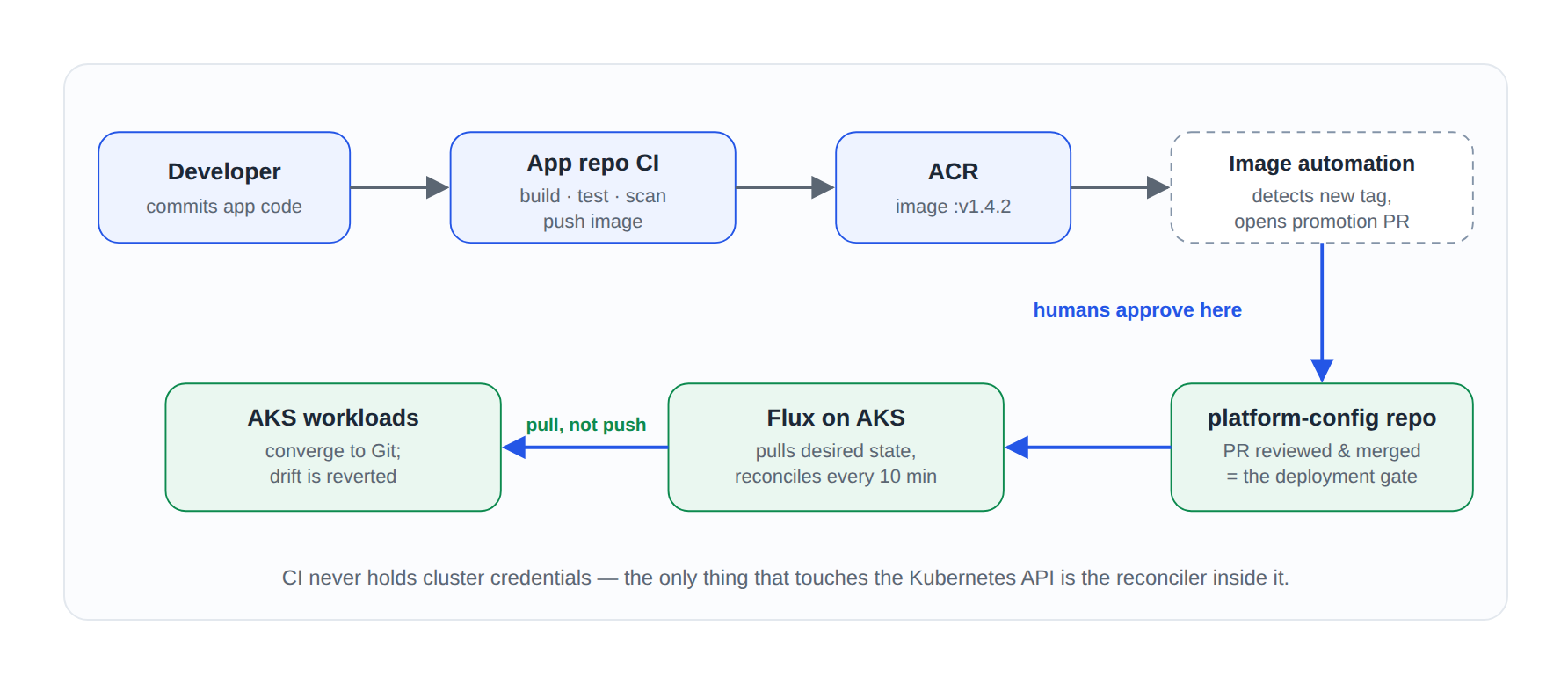
Before the steps, hold this picture in your head. The whole workflow exists to make it true:
“If your deployment process can’t answer who changed this, when, and who approved it from a single
git log, you don’t have a deployment process. You have a habit.”— Deop platform engineering field notes
Step 1 · Decide pull over push — and write down why
Half a day · output: a one-page decision record
Most teams arrive with a push model: CI builds an image, then a pipeline stage runs kubectl apply or helm upgrade against the cluster. It works — and it carries three costs that compound as you grow:
- Credential sprawl. Every pushing pipeline needs cluster-admin-ish credentials living in CI. Multiply by environments and repos, and your CI platform becomes your largest unmanaged attack surface.
- No self-healing. Push deploys once and walks away. Hand-edits after the fact go unnoticed and uncorrected.
- Disaster recovery is a runbook, not a property. With pull-based GitOps, rebuilding a cluster is “bootstrap the controller, point it at the repo, wait.” We’ve rebuilt a client’s non-prod AKS cluster from nothing in under forty minutes — most of that was node pool provisioning.
Our controller default on AKS is Flux, because Microsoft ships it as a managed cluster extension (microsoft.flux) — Azure handles the controller’s lifecycle and you can wire GitOps fleet-wide through Azure Policy. We reach for Argo CD when developers will live in the deployment UI daily. The pattern matters more than the tool; don’t let this choice stall you a quarter.
Step 2 · Stand up the platform-config repo
1–2 days · output: one repo that is the source of truth for every cluster
The mistake we see most is manifests scattered across every application repo. It works at three services and collapses at thirty. Our default is one platform config repo, separate from application code:
# platform-config/ — desired state for the whole estate
clusters/
  prod-canadacentral/      # Flux Kustomizations per cluster
  staging-canadacentral/
infrastructure/
  ingress-nginx/           # shared platform components
  cert-manager/
  monitoring/
apps/
  base/orders-api/         # one Kustomize base per app
  overlays/
    staging/orders-api/    # env-specific patches only
    prod/orders-api/
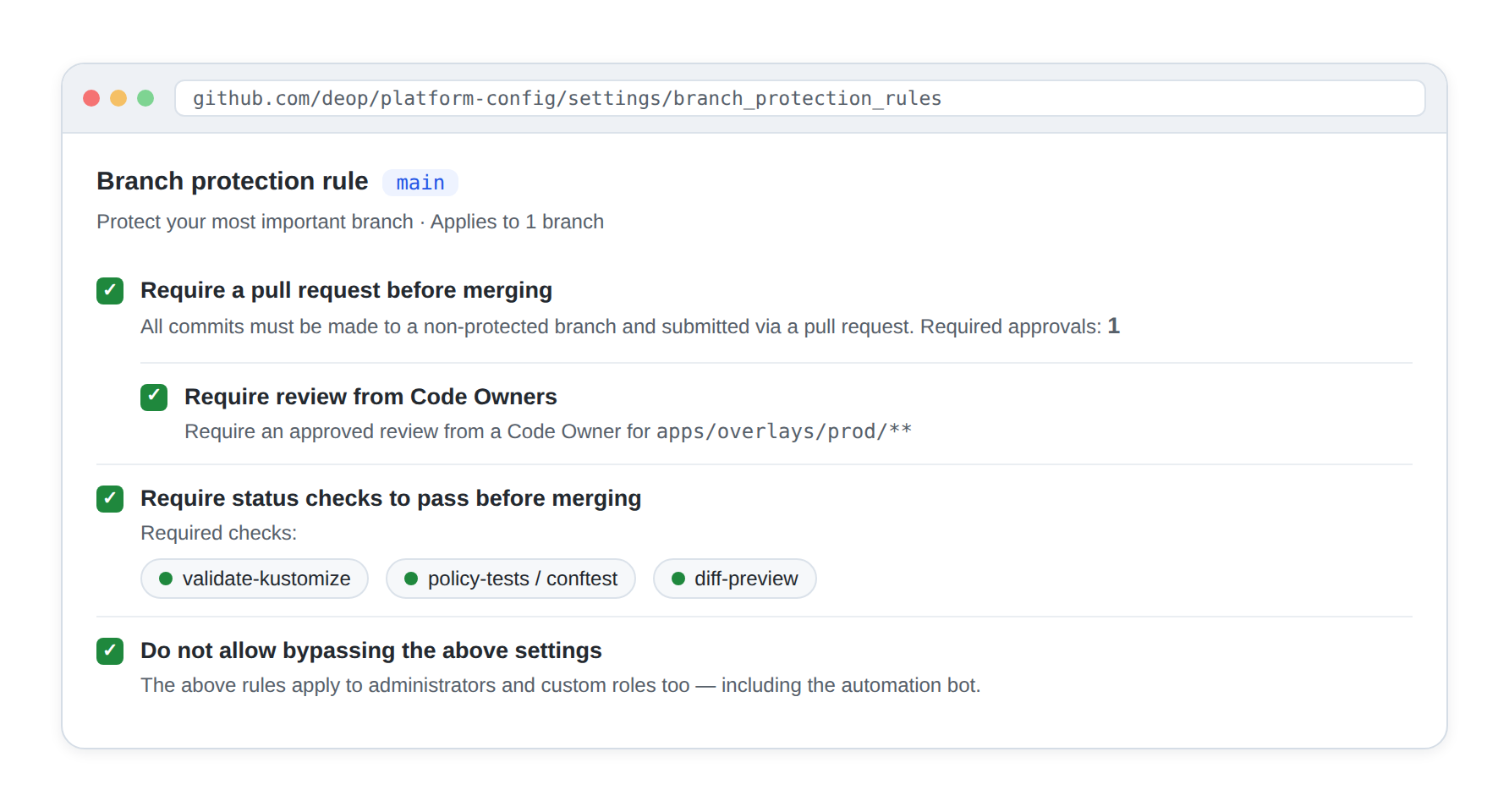
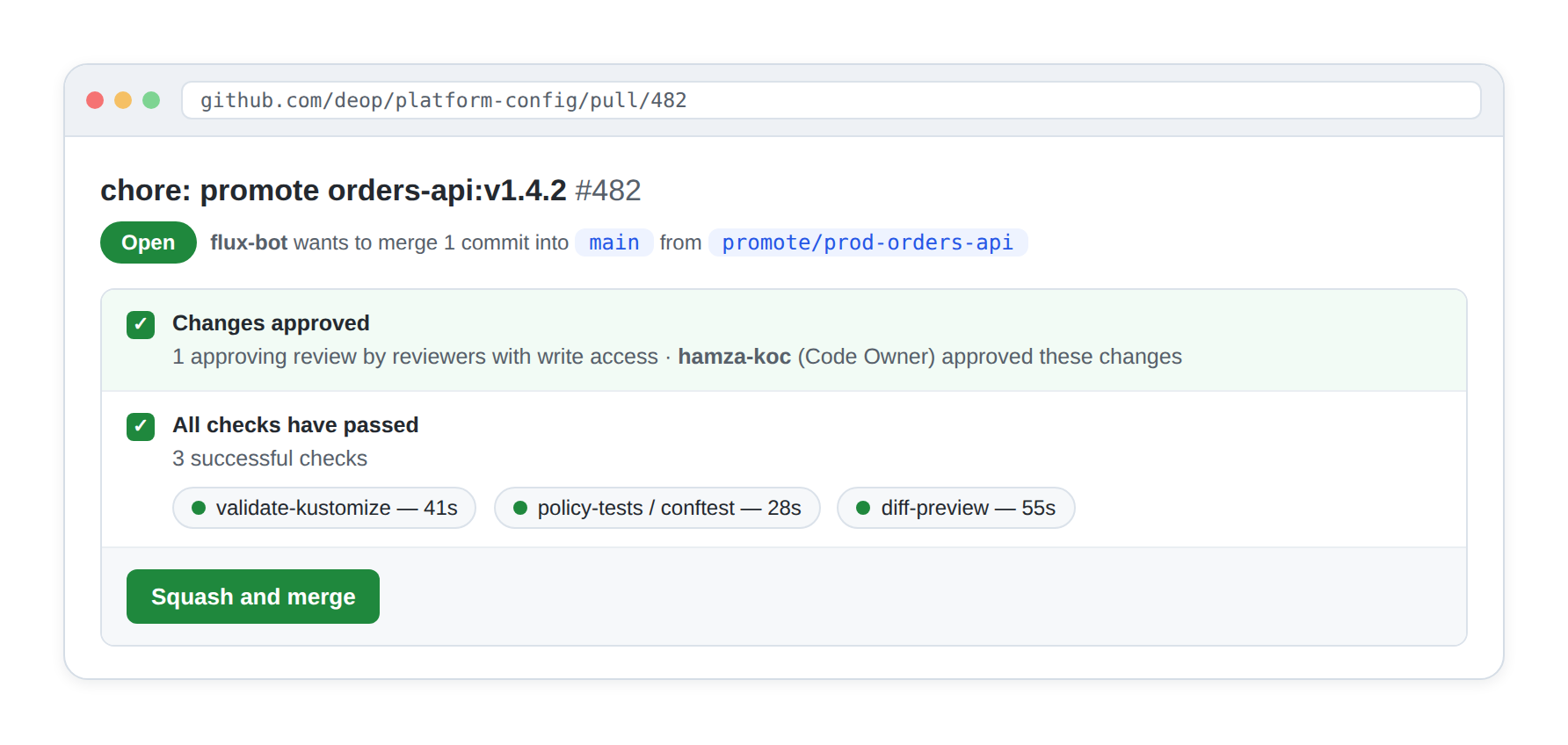
Application repos build and test code, then a pull request against this repo changes an image tag. Branch protection, CODEOWNERS, and required reviews now govern production exactly the way they already govern code.
Step 3 · Bootstrap Flux the AKS-native way
Half a day per cluster, minutes once Policy is in place · output: clusters that reconcile from Git
Generic GitOps tutorials stop at installing the controller. On Azure, four integrations do the heavy lifting — wire them from day one:
- Workload identity everywhere. Flux authenticates to ACR and the config repo with a federated managed identity — no PATs, no pull secrets to rotate.
- Azure Policy for fleet bootstrap. Assign the built-in “Configure Kubernetes clusters with Flux” policies at the management group; cluster number twelve gets GitOps the moment it’s created.
- Secrets stay in Key Vault. Git never holds secret values — External Secrets Operator or the Secrets Store CSI driver projects them at runtime; Git only references names.
- Defender for Containers on the same loop. All change flows through one repo, so admission findings and drift alerts map cleanly back to commits.
# Enable the managed Flux extension and point the cluster at the repo
az k8s-configuration flux create \
  --resource-group rg-platform --cluster-name aks-prod-cc \
  --cluster-type managedClusters --name platform \
  --url https://github.com/deop/platform-config \
  --branch main --kustomization name=cluster path=./clusters/prod-canadacentral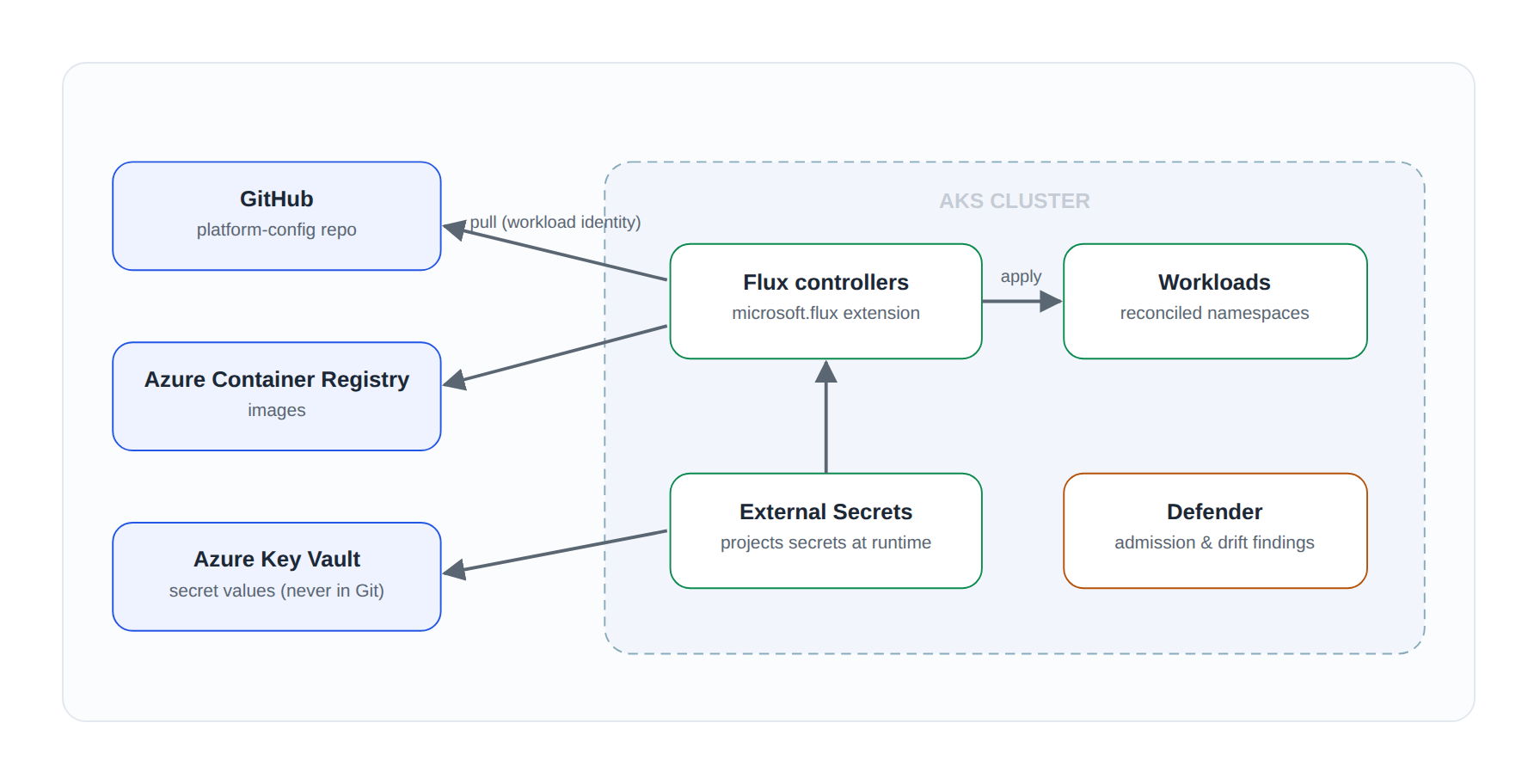

$ flux get kustomizations
NAME            REVISION            SUSPENDED   READY   MESSAGE
cluster         main@sha1:8f3c21a   False       True    Applied revision: main@sha1:8f3c21a
infrastructure  main@sha1:8f3c21a   False       True    Applied revision: main@sha1:8f3c21a
apps            main@sha1:8f3c21a   False       True    Applied revision: main@sha1:8f3c21a
Step 4 · Automate the promotion PR
1 day · output: humans approve deployments, robots write them
The image-tag PR itself should be automated. Flux’s image automation controllers watch ACR and open the PR for you — the humans only approve:
apiVersion: image.toolkit.fluxcd.io/v1beta2
kind: ImageUpdateAutomation
metadata:
  name: orders-api-staging
  namespace: flux-system
spec:
  sourceRef: { kind: GitRepository, name: platform-config }
  git:
    commit:
      messageTemplate: "chore: promote {{range .Updated.Images}}{{println .}}{{end}}"
    push: { branch: staging-promotions }
  update:
    path: ./apps/overlays/staging
    strategy: Setters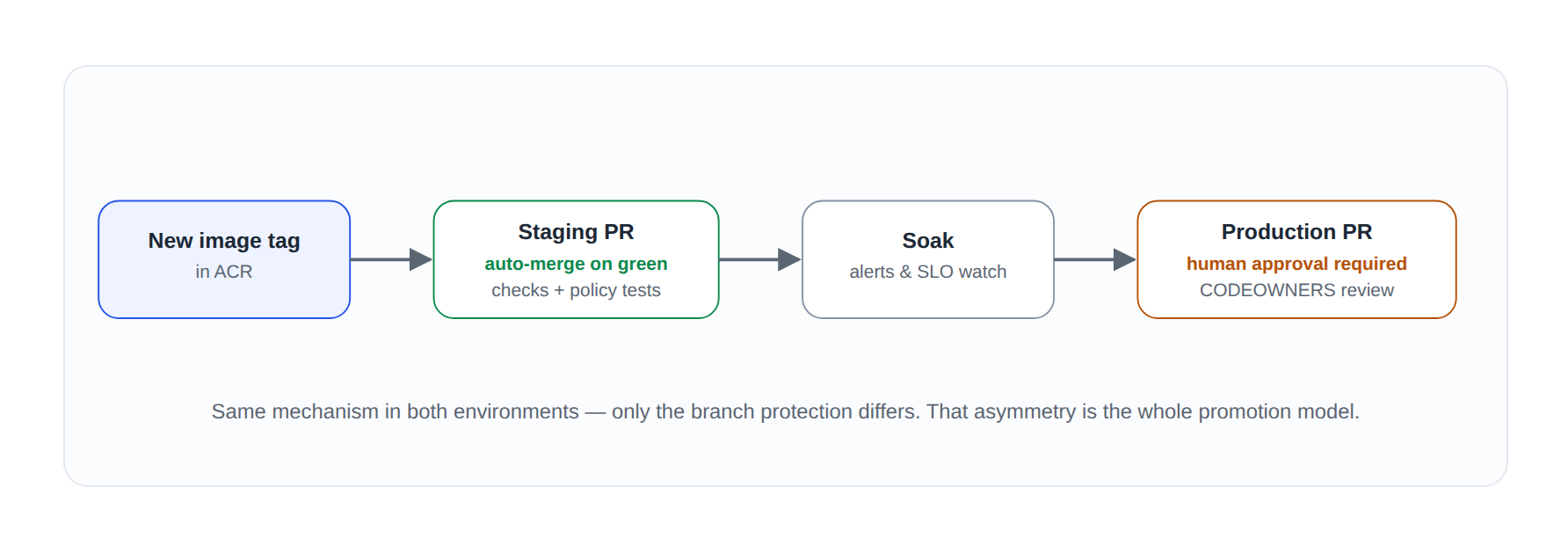
Step 5 · Cut over in parallel — then revoke push credentials
2–3 sprints per team · output: GitOps as the only deployment path
You don’t flip thirty services in a weekend; the new path has to earn trust. Our sequence:
- Platform components first. Ingress, cert-manager, monitoring — platform engineers own them end to end. Low blast radius, fast feedback.
- One product team pilots. Pick a team with frequent deploys and patient engineers. Run the old pipeline and GitOps side by side for two sprints; GitOps proves it converges to the same state.
- Revoke push credentials as teams cut over. This is the step people skip. When a team’s services reconcile cleanly, their pipeline’s cluster credentials get deleted — not disabled, deleted.
- Break-glass is documented, not forbidden. A just-in-time Entra group grants temporary
kubectlaccess, every use pages a review, and the reconciler reverts manual changes afterward anyway.
The honest timeline: two to three sprints from pilot to credential revocation, per team. Faster usually means the revocation step got skipped — and GitOps you can bypass is GitOps nobody trusts.
“You don’t flip a switch. You run both systems in parallel until the new one has earned the cutover.”
— from our Azure DevOps → GitHub Enterprise migration playbook, and it’s just as true here
Step 6 · Operate: make drift a finding, not a mystery
Ongoing · output: boring deployments
Six months in, the healthy version of this looks boring — which is the point:
- Every production change traces to a merged PR with a named approver; audit asks take minutes, not meetings.
- Cluster rebuilds are a bootstrap command, and DR tests actually get run because they’re cheap.
- Nobody has standing
kubectlwrite access to production — and nobody misses it. - New services ship a Kustomize base and appear on the next reconcile; onboarding is a directory, not a ticket.
- Drift alerts are rare, and when they fire they’re findings, not mysteries.
Kubernetes doesn’t get easier by adding tools. It gets easier when there’s exactly one way changes happen — and that way is one your whole organization already knows how to review. It’s also the same review bar that makes the agentic SDLC safe: once pull requests govern every change, it doesn’t matter whether a human, a bot, or a coding agent authored them.
References
- OpenGitOps — the four GitOps principles (CNCF)
- Flux documentation, and the image automation controllers used in Step 4
- Microsoft Learn — GitOps with Flux v2 on AKS and Arc-enabled Kubernetes
- Microsoft Learn — deploying Flux configurations at scale with Azure Policy
- Microsoft Learn — Entra Workload ID on AKS
- External Secrets Operator and the Secrets Store CSI driver for Key Vault
- Argo CD documentation — the alternative controller discussed in Step 1