

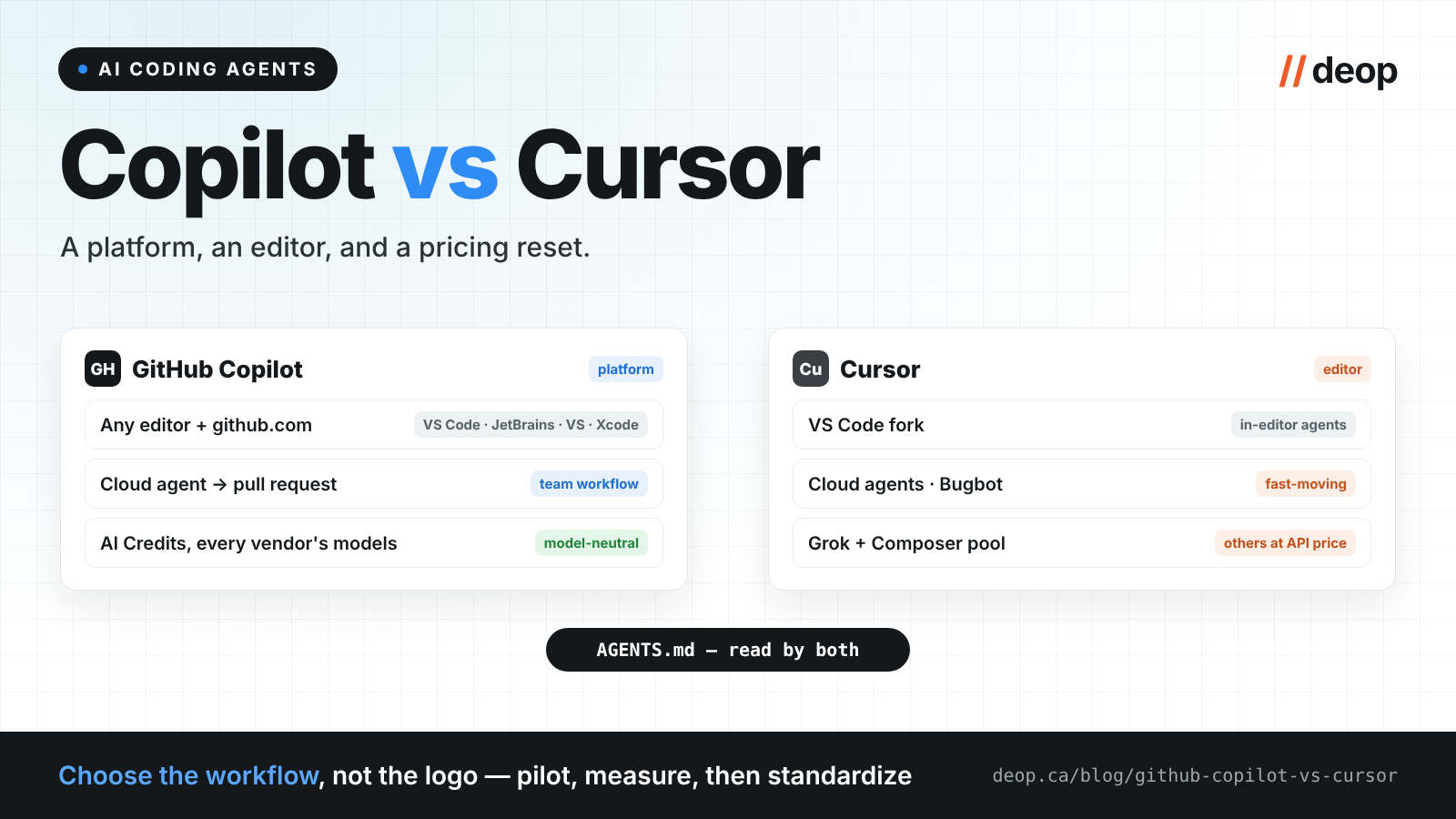
Most “Copilot vs Cursor” comparisons were written for an individual developer choosing an editor. That question still exists, but it's not the one engineering leaders are asking us in late 2026. Theirs is: which of these do we standardize on, and what will it cost when the whole team uses it seriously? Three things changed this year that make older comparisons misleading: GitHub moved Copilot to usage-based billing in June, Cursor rebuilt its pricing around Grok in October following its acquisition by SpaceX, and at GitHub Universe, GitHub started including Copilot with GitHub Enterprise. Here's the current picture, from a GitHub partner that works with teams running both.
Two different products, again
As with Copilot vs Claude Code, the first thing to get right is that these aren't the same shape of tool.
Cursor is an editor. It's a fork of VS Code (Cursor docs) with AI built into every surface: Tab completions, an Agent that edits across files, cloud agents that work in the background, a CLI, and its own models alongside third-party ones. Choosing Cursor means your developers work in Cursor. (JetBrains users can now reach it as an agent through JetBrains' Agent Client Protocol registry, but the full experience is the editor.)
GitHub Copilot is a platform feature. It runs inside the editors your team already uses — VS Code, Visual Studio, JetBrains, Xcode, Eclipse, Neovim — plus a CLI and the new Copilot app, and its most important parts live on github.com itself: the cloud coding agent that turns an assigned issue into a pull request, code review on PRs, and Agent HQ, where third-party agents like Claude and Codex also run (Copilot plans).
That's the core trade-off. Cursor optimizes the individual developer's loop inside one editor. Copilot optimizes the team's workflow across editors and the repository platform.
How the bills behave now
Copilot moved to usage-based billing on June 1, 2026: premium usage — chat, agent mode, code review, the cloud agent — is metered in AI Credits at each model's token rate, with a monthly allowance included in every paid plan, while code completions stay unlimited (GitHub blog). For teams, Business is $19 per seat and Enterprise $39, with each seat's allowance pooled across the organization and admin-set budgets per user. Individual plans run from $10 (Pro) to $39 (Pro+) and a $100 Max tier. Every vendor's models — Anthropic, OpenAI, Google, xAI and Microsoft's own — draw from the same credit pool, subject to admin policy.
Since October 28 there's a second option for larger teams: Copilot included with GitHub Enterprise. GitHub Enterprise Cloud customers can get Copilot for every licensed user with no Copilot seat charge; every request is metered against the enterprise budget instead, and it's available through GitHub's sales team for now (GitHub changelog). Our GitHub Enterprise pricing breakdown compares the two models with worked numbers.
Cursor reset its pricing in October 2026, and its plans now come bundled with Grok and X features (Cursor pricing). Individual plans run Plus at $8 (Grok models only), Premium at $30 and Super at $100, each with a usage pool for the Grok family. Models from other vendors, including Claude and GPT, are not in the monthly price: they're billed separately by usage at API list price. Teams starts at $30 per user with mix-and-match seat types, SSO and team-wide privacy settings; Enterprise adds a shared usage pool across the team.
The practical difference: Cursor's plan is now cheapest if your team is happy on Grok, and gets expensive if your developers prefer Claude or GPT. Copilot's pricing is model-neutral — one pool, any approved model. Because both companies changed their models this year, our advice is the same either way: run a four-week pilot, measure actual consumption, and budget from the data rather than from the pricing page.
Where Cursor wins
The in-editor experience. Cursor's whole product is the editing loop, and it shows: fast multi-file agent edits, strong completions, and a tight feedback cycle. Developers who live in VS Code-style editors often simply prefer it.
Pace of agent features in the editor. Cloud agents, automations, AI code reviews, remote control from mobile — Cursor ships editor-side agent features quickly.
Cost, if your team is happy on Grok. For Grok-centric usage, the new plans are aggressive.
Where Copilot wins
The team and the platform. Copilot's agents work where your code, reviews and branch protections already live. An issue assigned to the cloud agent becomes a pull request that goes through the same review bar and the same governed workflow as human work. That's the difference between faster individuals and a faster delivery system.
Editor neutrality. Your Visual Studio, JetBrains and Xcode developers aren't asked to switch editors. For mixed estates this alone usually decides it.
Model neutrality. After Cursor's reset, Copilot is the simpler way to give a team governed access to models from every major vendor under one budget.
Enterprise governance. Copilot inherits GitHub Enterprise identity and policy, offers IP indemnity on unmodified suggestions with the duplication filter enabled, and provides audit logging for Business and Enterprise. If you already run GitHub Enterprise, Copilot arrives inside controls you've already approved — and can now arrive inside the licence you already pay for.
Governance: both are enterprise-capable now
This used to be a clear Copilot advantage; it's narrower today. Cursor holds SOC 2 Type II and ISO 27001 certification, offers a privacy mode that teams can enforce (no training on your code), SSO on Teams, and SCIM, audit logs, and controls over allowed repositories, models and MCP servers on Enterprise (Cursor security). Two questions still deserve explicit answers in your security review: where code is processed, and what the vendor's change of ownership means for your data-processing agreement. Cursor says its policies haven't changed under SpaceX; get that in writing for your contract.
The part that makes the choice lower-stakes
Both tools read AGENTS.md — Cursor alongside its .cursor/rules files, Copilot alongside copilot-instructions.md. Put your build commands, conventions and boundaries in AGENTS.md and every agent your developers use gets better, whichever editor they're in. Combined with deterministic CI gates and one review bar for human and agent code, that's what makes a mixed-tool estate safe.
So which one?
- Standardizing a mixed-editor organization on GitHub Enterprise? Copilot. Editor neutrality, model neutrality and platform governance outweigh the editor experience at scale — and Copilot can now come with your Enterprise licence.
- A smaller, VS Code-native team that wants the best in-editor agent and is comfortable on Grok? Cursor is a strong choice — budget carefully if you'll lean on Claude or GPT.
- Some developers want Cursor, the platform runs on Copilot? A common and workable end state: Copilot for the fleet and the PR-level agents, Cursor seats where the editor genuinely earns them, AGENTS.md as the shared contract.
Whichever you choose, the investment that compounds isn't the tool — it's the instructions files, the review gates and the measurement around it. A team that has also put its leads through the GH-300 Copilot certification tends to make that investment faster.
Deop helps engineering teams choose, pilot and govern AI coding tools — Copilot, Cursor and Claude Code — as a GitHub partner and Microsoft partner specialized in Agentic DevOps. Read our agentic SDLC field guide or book a discovery.